What’s New
A closer look at the latest features, accessibility upgrades, and performance improvements.
Performance and Metrics
Faster pages with modern image formats (AVIF/WebP), smarter caching, and specialized image loading 'tricks' like blur-up placeholders and priority LCP handling.
These screenshots are from Google Lighthouse (PageSpeed Insights) using the Mobile preset. Lighthouse runs a repeatable lab test in Chrome with simulated device and network throttling.
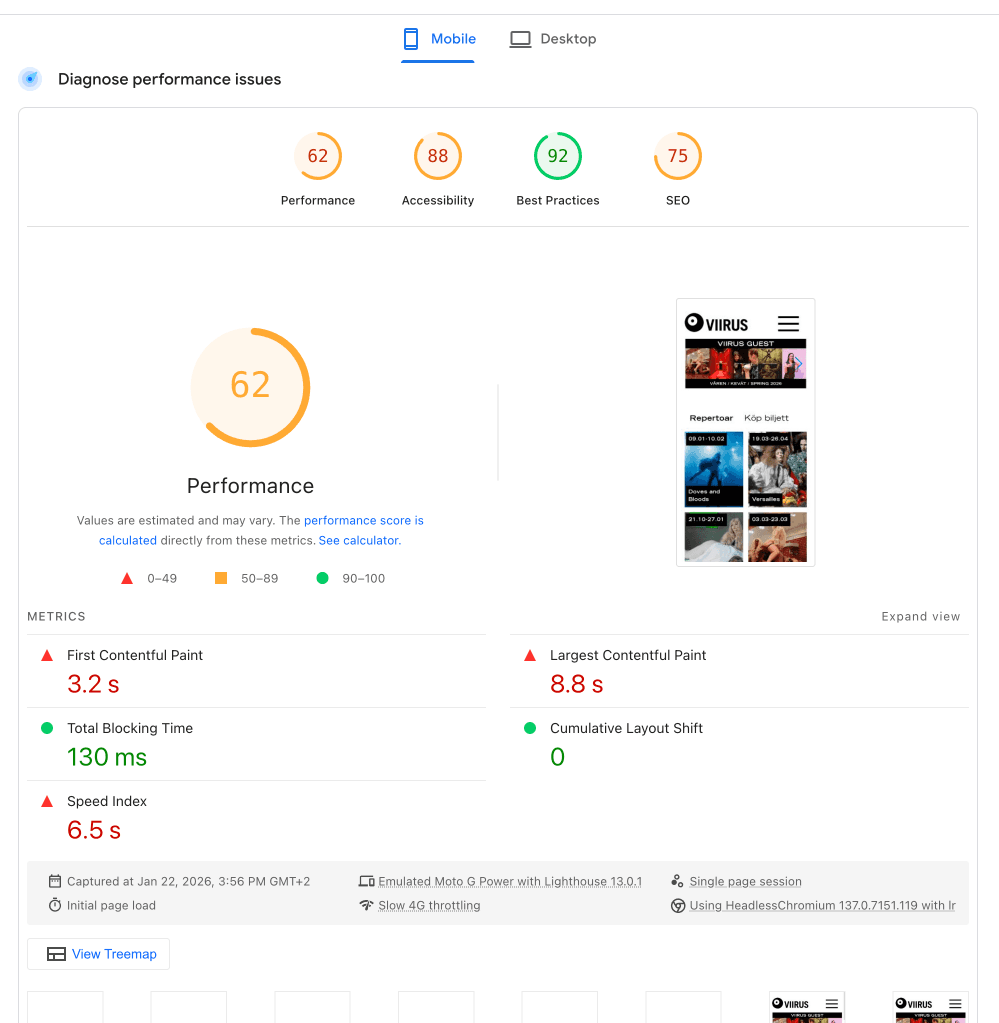
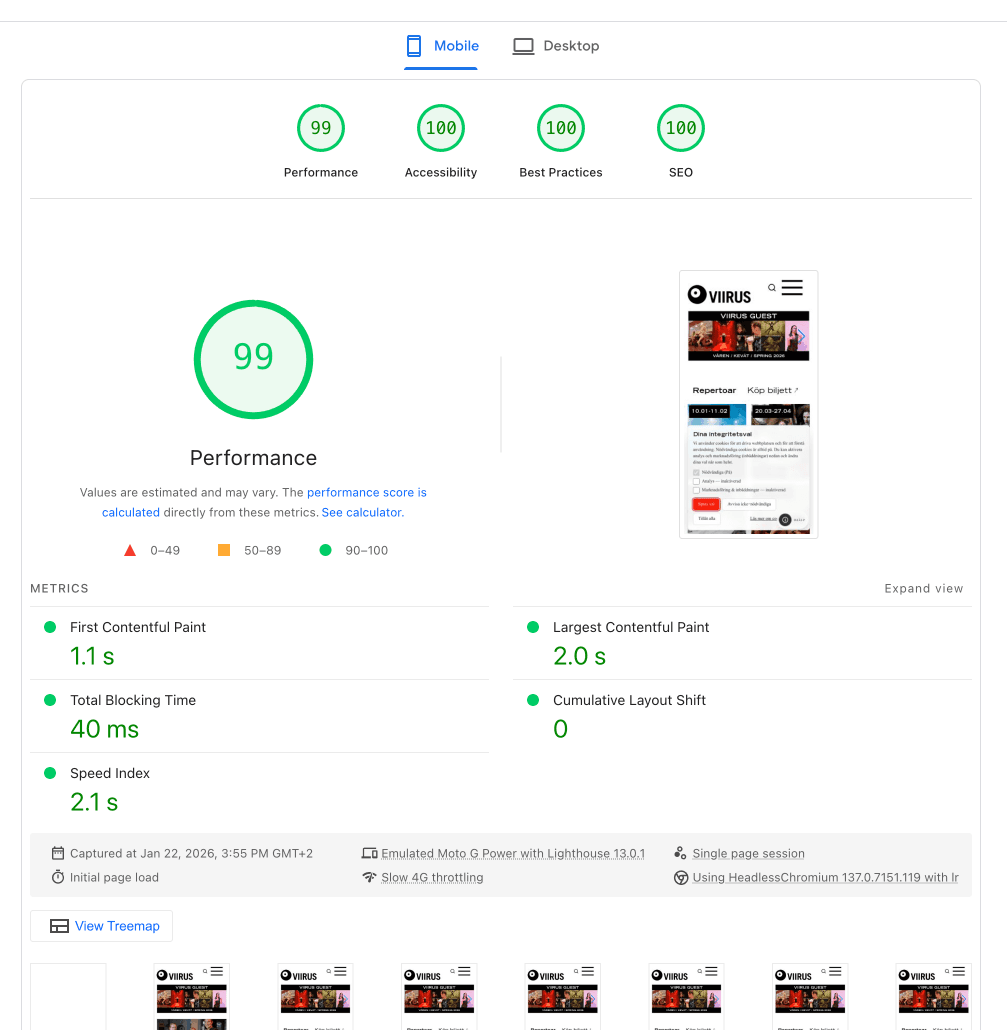
What changed
- Modern image formats (AVIF/WebP) and responsive sizing to cut transfer size by up to 80%.
- Blur-up placeholders and priority loading for critical images to minimize perceived load time.
- Less blocking JavaScript and smarter loading to reduce Total Blocking Time.
Headline gains
- Performance: 62 → 99
- LCP: 8.8s → 2.0s
- Total Blocking Time: 130ms → 40ms
Compliance and Standards
We connect website features to standards. Every feature is built to satisfy specific WCAG success criteria. Here is how our design choices map to global accessibility standards. For full compliance with WCAG, we monitor 55+ WCAG 2.1 AA success criteria and display the current pass status.
| Feature | WCAG criterion | Level | User impact |
|---|---|---|---|
| Sticky navigation | 3.2.3 Consistent Navigation | AA | The menu stays in the same place across pages, reducing cognitive load. |
| Focus rings | 2.4.7 Focus Visible | AA | Keyboard users can always see where focus is, preventing “lost” focus. |
| Text scaling | 1.4.4 Resize Text | AA | The layout adapts when text is zoomed to 200% while preserving functionality. |
| Dark mode | 1.4.3 Contrast (Minimum) | AA | Text maintains sufficient contrast in both light and dark themes for readability. |
| Animation control | 2.2.2 Pause, Stop, Hide | A | People can reduce motion to avoid distraction and vestibular triggers. |
| Status messaging | 4.1.3 Status Messages | AA | Screen readers announce loading and empty states without moving focus. |
| Semantic landmarks | 1.3.1 Info and Relations | A | Navigation and main content are correctly identified so assistive tech can jump directly to them. |
| Search dialog | 2.1.2 No Keyboard Trap | A | The search overlay manages focus while open and always allows escape with Escape. |
| Input labels | 3.3.2 Labels or Instructions | A | Search inputs include accessible labels so screen readers announce what to type. |
| Reduced motion | 2.3.3 Animation from Interactions | AAA | Animations respect OS motion settings to avoid vestibular disorders. |
| Voice search | 2.5.1 Pointer Gestures | A | Provides an alternative input method for people who cannot type easily. |
| Read aloud | 3.1.5 Reading Level | AAA | Offers an audio alternative for long text, supporting dyslexia and cognitive accessibility. |
Intuitive navigation

A consistent header that keeps key actions within reach.
Reasoning
Predictable navigation reduces cognitive load. Visitors shouldn’t have to guess where the menu or search lives.
Sticky headers support orientation and memory, and clear focus states improve keyboard navigation.

Accessibility menu
Controls for text size, spacing, contrast, motion, focus, and link styling. Meets WCAG 2.5.8 target size guidance.
Reasoning
Accessibility is a core value. User-controlled overrides mean the site adapts to the visitor’s needs.
Supports resized text, contrast, and reduced motion. Larger touch targets improve usability for motor impairments.


Read aloud (Web Speech)
Built-in read-aloud with playback controls. Supports WCAG 1.1.1 (Non-text Content) by providing an audio alternative.
Reasoning
Long-form content can be tiring to read. A simple read-aloud option helps people consume content hands-free.
Helps users with dyslexia, low vision, or cognitive overload who benefit from audio reinforcement.
Search and discovery
Search that understands intent, supports synonyms, and includes voice search.


Reasoning
People need to find content quickly. A smarter search reduces friction by handling typos and context.
Voice search supports hands-free input. Clear status messaging improves screen reader experience.
Calendar and show interactions

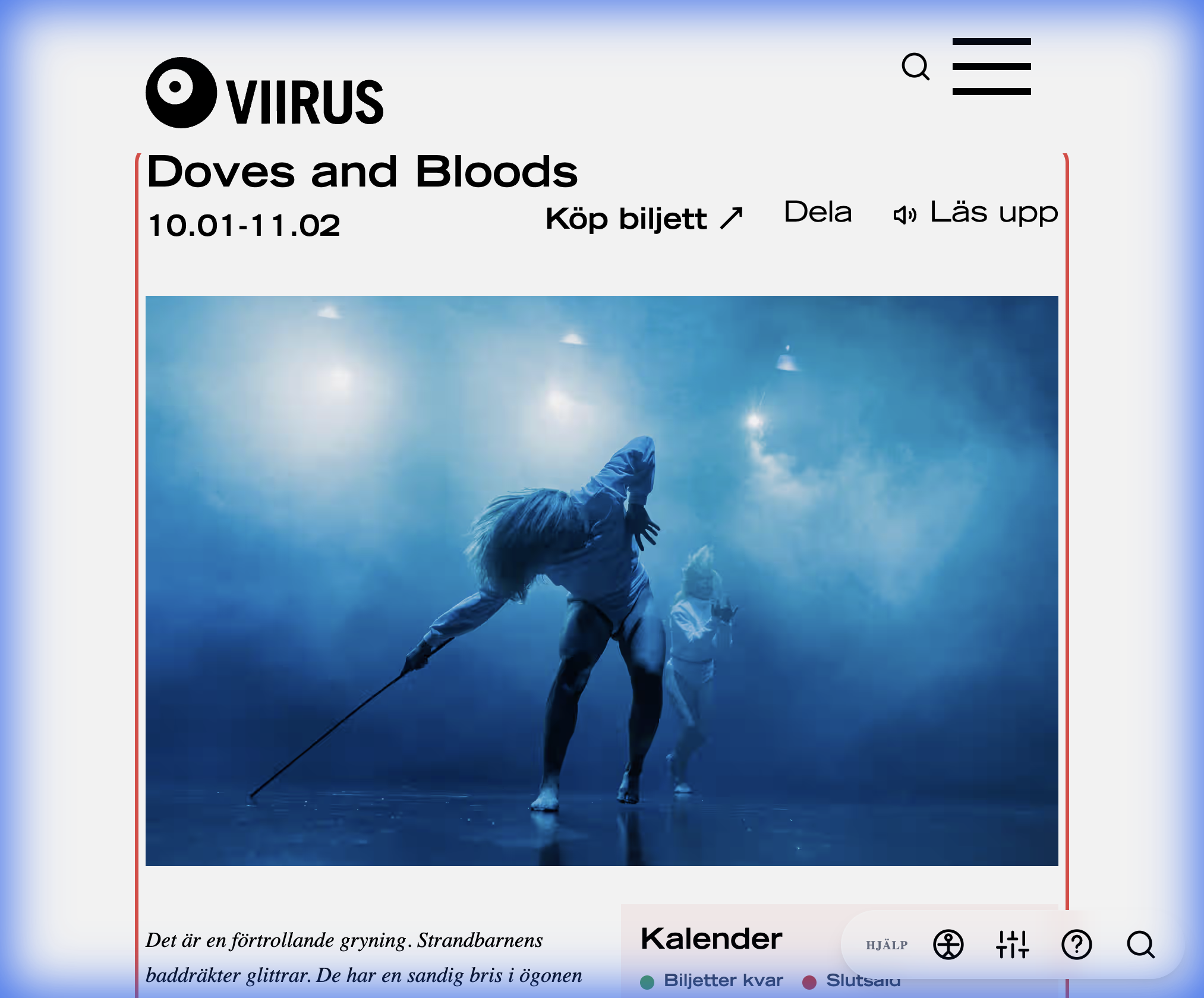
Refined calendar and show interactions with clearer hover/focus states and distinct ticket flows.
Reasoning
The calendar is a core utility. Clear visual feedback helps prevent misclicks and confusion. Clarity about which tickets are sold out and which still have seats makes it easier to navigate.
Strong focus states and clearer labeling help people navigate dense calendar interfaces.
Privacy and Consent
A privacy-first approach that respects visitor boundaries through thoughtful engineering, avoiding invasive third-party tracking by default.
Reasoning
Third‑party widgets (like Instagram or Google Maps) often load cross-site resources that capture visitor data without consent. We block all third-party cookies and requests until explicit consent is given, prioritizing privacy without sacrificing functionality.
We replace Instagram's third-party widget with our custom gallery, eliminating cookie tracking while preserving functionality.
Carbon footprint and sustainability
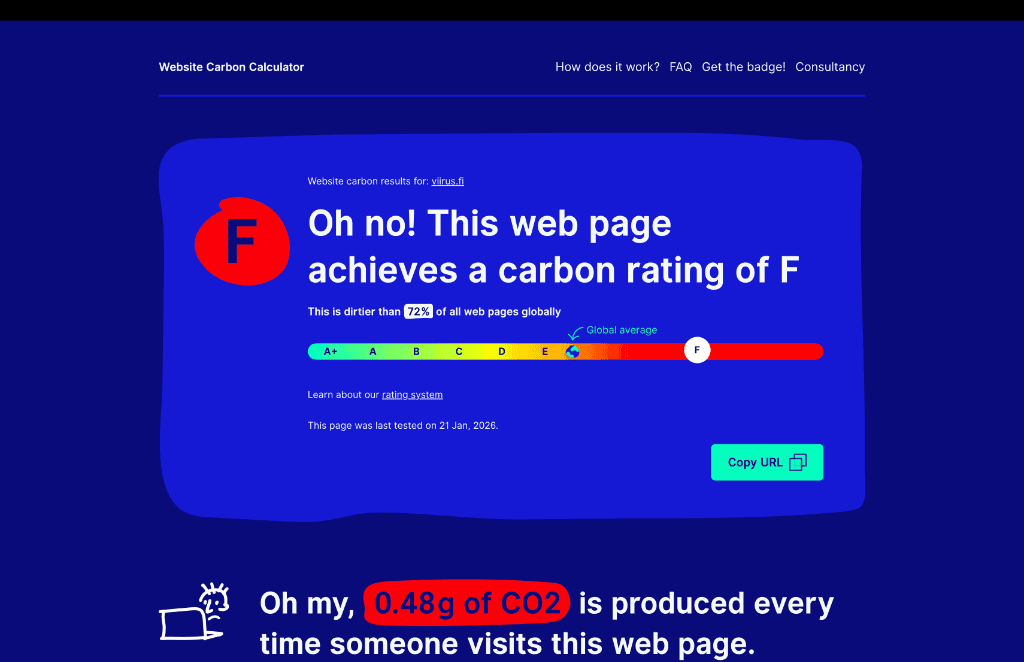
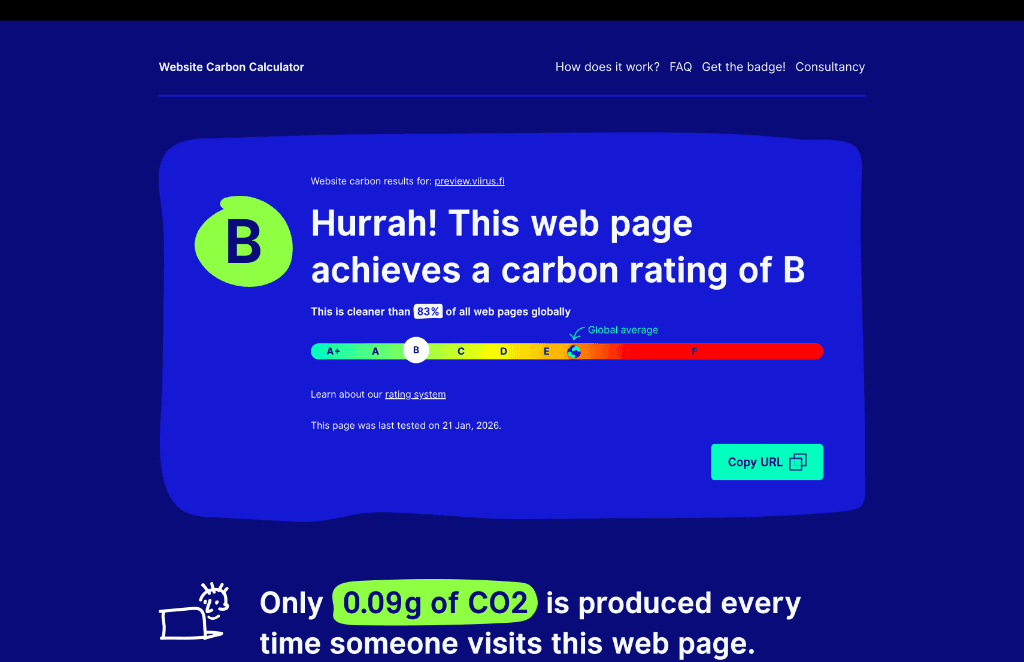
Optimized performance reduces energy use. The new site achieves a “B” carbon rating compared to the previous version’s “F”.
Reasoning
Less data transfer and less client-side work means fewer emissions per page view.
Lightweight pages work better on older devices and limited data plans, improving accessibility.